 Address Health
Currency conversion app for HubSpot
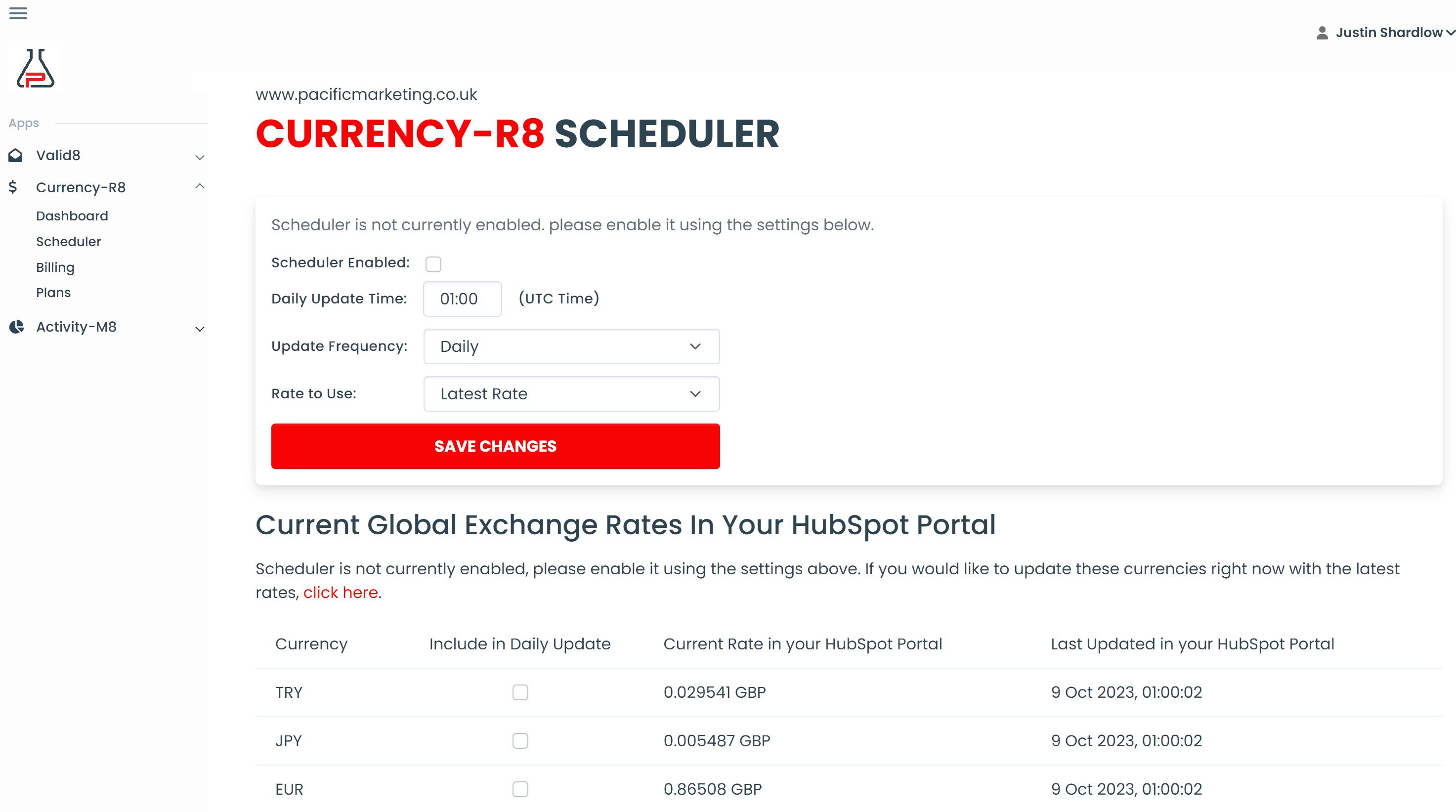
Simply set the daily update time, select which currencies you want updated and leave Currency-R8 to do the rest.
You know the scenario. You're on a call with a hot prospect, they love what you've got and are ready to buy. but they just want to know how much it will be in their local currency...
You quickly search for a currency converter, or reach for an app on your phone, whilst your prospect sits patiently waiting for your to work it out.
No more. Say goodbye to scrambling. With Currency-R8, there's no need to leave HubSpot, our app sits right inside your deal screen.

Currency-R8 sits right inside the deal screen and automatically recognises your existing deal currency and amount.
Instantly lookup the value of your deal in 150+ currencies by simply clicking a button and selecting the currency you require.
Choose to automatically update your deal and line items with the new currency and amount, copy the new amount to the clipboard for use elsewhere or simply close the lookup window with no further action, the choice is yours.
Get started for free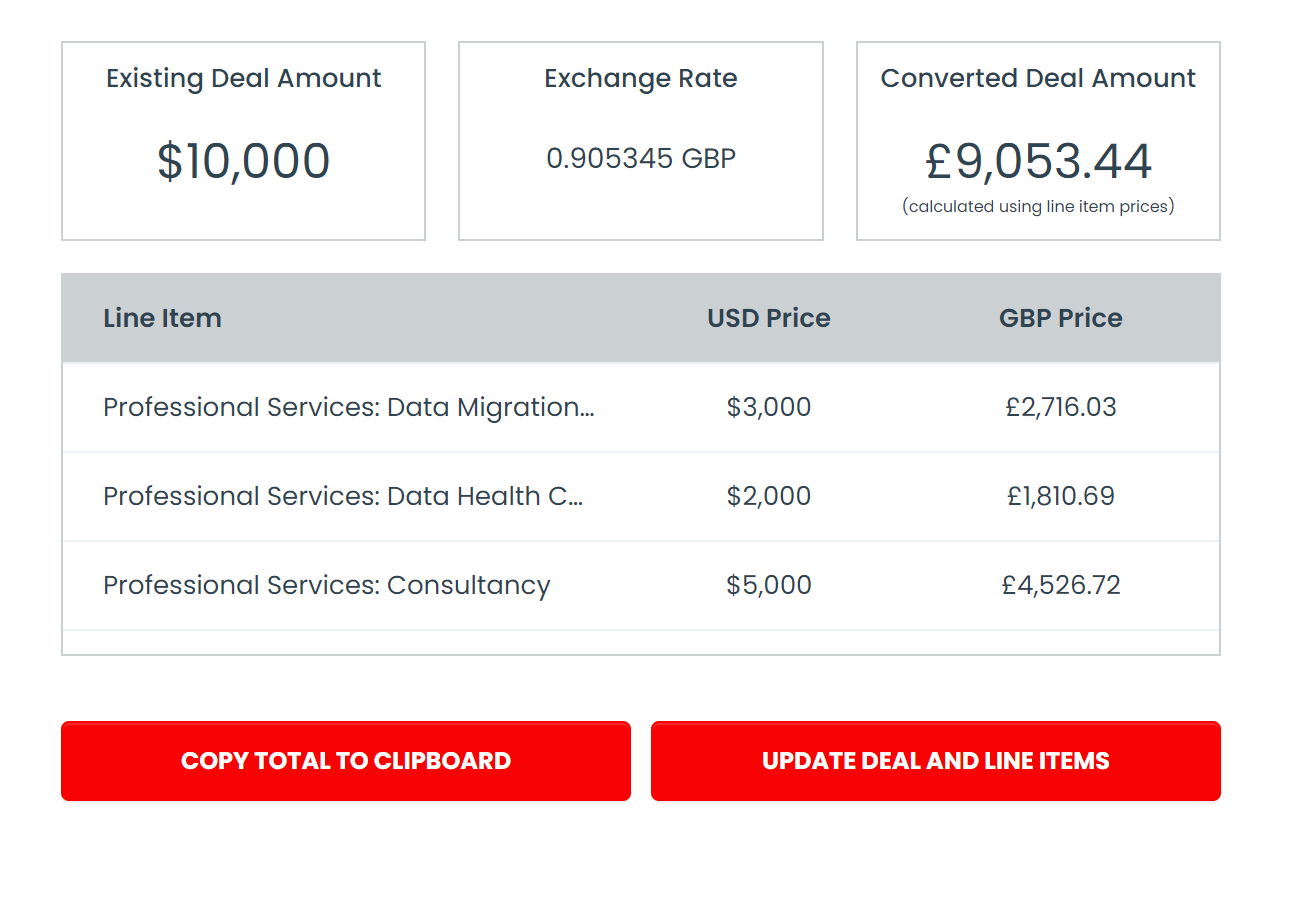
Need to convert foreign currency deals back to your base currency when a deal closes or reaches a specific stage?
Got a sales rep who services a foreign market and needs their deals automatically converted to the local currency?
No problem. Currency-R8 can be dropped straight into your HubSpot workflows, just select it from the list of actions, select which currency you want to convert to/from and let Currency-R8 handle the rest.
Get started for free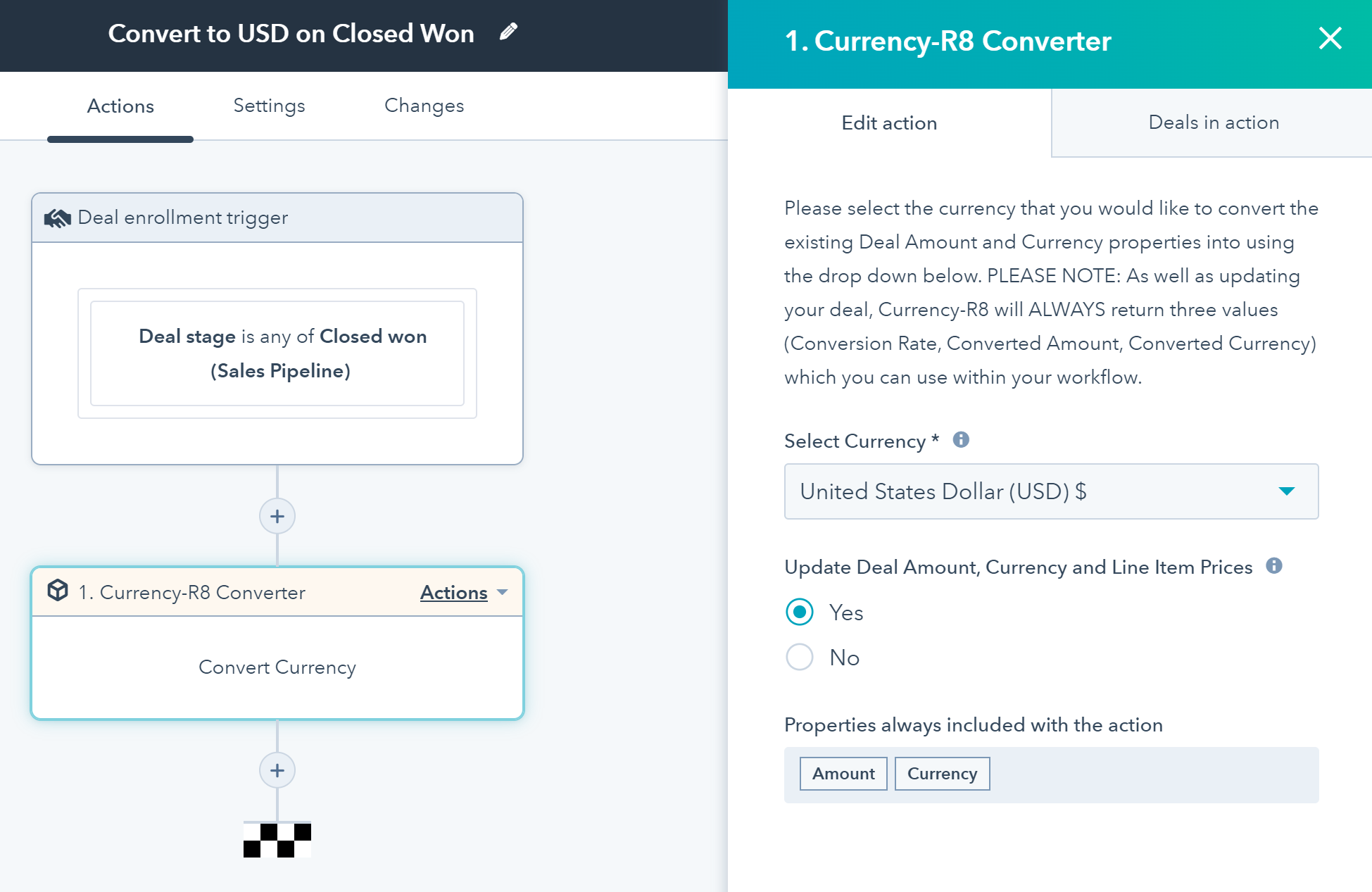
Currency-R8 includes a real-time dashboard so you can monitor usage of the app in real-time.
View your team's most commonly requested currency conversions to better understand how your customer want to buy.
View history of all conversions and rates at that point in time.
Manage your plan - our simple pricing makes it easy to ensure you never run out of credits.
Get started for free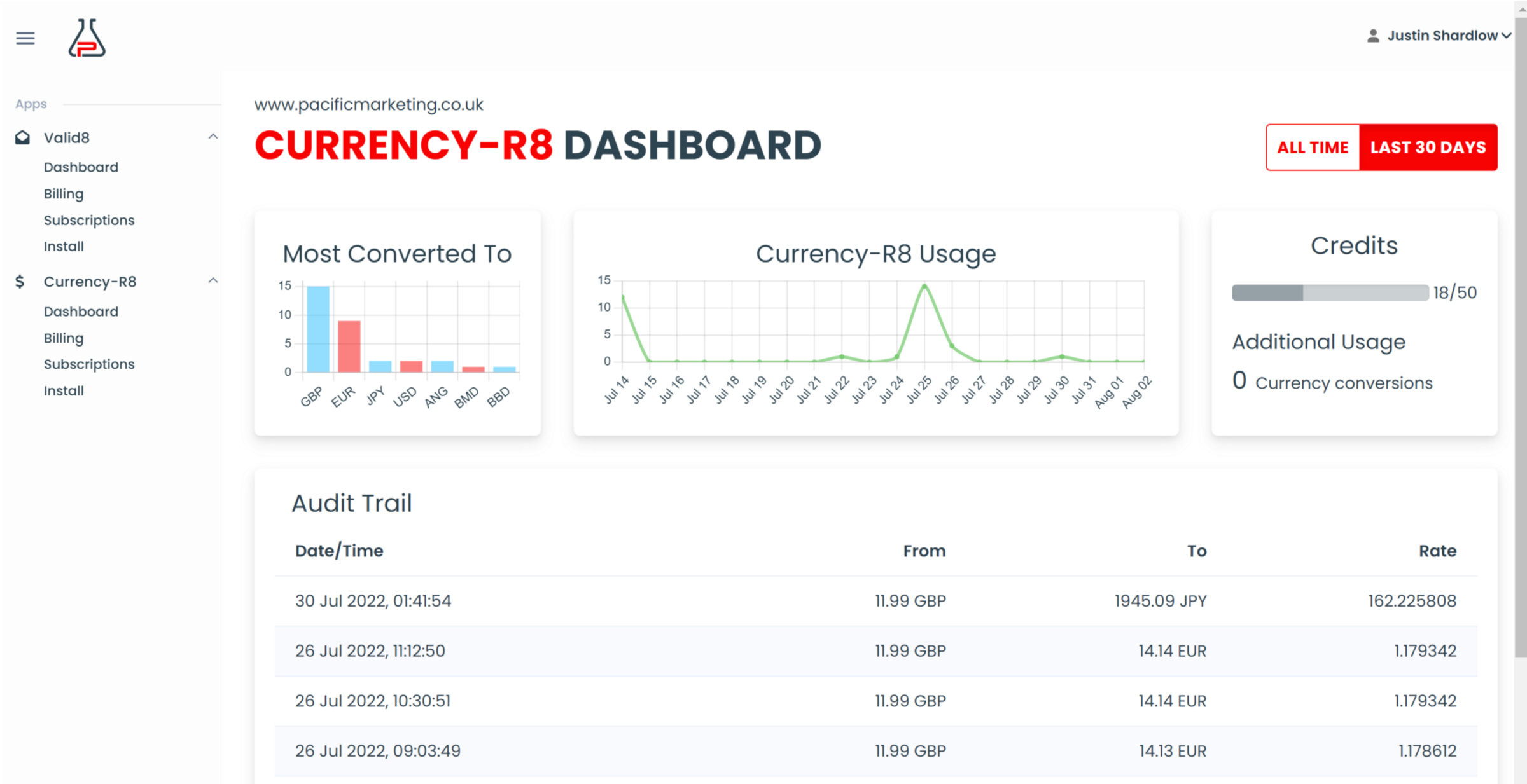
The whole team is very helpful and they won't rest until they resolve all the queries that you might have for them. The Currency-R8 integration is amazing in terms of what is providing.
Mario Todorovski
Finance & Office Manager, Pabau
Currency-R8 does what it says on the tin. Ensures accurate values in our open pipeline and forecast, rather than leaving it up to manual updates of FX rates on an ad-hoc basis. Absolute no-brainer if you deal in multiple territories.
Sam Statham
RevOps Support, AutomatePro
Currency-R8 is a great app for automating currency rate conversations. The product has been simple to use and setup. Not only has the integration worked seamlessly, we were especially pleased with their customer service and support throughout the process. This is an easy to use tool for currency conversion automations with truly caring people behind the scenes.
Rachel Thayer-Cooney
Data & Analytics Manager, Joorney
What is Currency-R8?
Currency-R8 is a HubSpot app that plugs straight into your HubSpot portal. It adds a card to your Deals screen so you can run currency conversions on demand and also adds a new action to workflows allowing you to bake currency conversion right into your deal workflows.
Can I run currency conversions instantly, on demand?
Yes, absolutely you can, this is exactly what it's designed for. Just click the button on the Currency-R8 card on your Deals screen then select the currency of your choice to instantly convert the deal and line-item amounts to the new currency. You can then either close the window, copy the new amount to the clipboard or select to update the deal (and line-items) automatically for you.
Can I use Currency-R8 to add a currency conversion to my workflow automation?
Yes, with any of our paid plans you can use Currency-R8 to provide currency conversion actions with a HubSpot workflow. Currency-R8 has been designed to work seamlessly with HubSpot's workflow engine. Just select Currency-R8 from the list of actions then choose what currency you would like the deal and line-items to be converted to. Currency-R8 takes care of the rest, your deal will be automatically updated to reflect the new currency and amount.
How accurate is Currency-R8 and where does the data come from?
We use third-party services who source their spot exchange rates from a broad base of commercial sources and banks around the world, each of varying types and frequencies. The larger weighting particularly for major currencies is towards commercial sources as they more accurately reflect the trading occurring in the markets.
How often is exchange rate data refreshed?
We guarantee that all exchange rates will be refreshed at least once every 60 minutes, so you know you are getting an up-to-date rate at all times.
What currencies are supported by Currency-R8?
Currency-R8 supports over 150 currencies.
How do I sign up for Currency-R8?
Signing up for Currency-R8 is simple, and free to get started. Register now for a trial version here.
How do I get the Currency-R8 app on my HubSpot portal?
Once you've signed up and connected Address Health to your HubSpot portal, installing Currency-R8 to your HubSpot portal is very straight forward, you simply click the install button, and our software will take care of the rest.
Which plan is most suitable for me?
This will depend on your expected usage. All paid plans come with a number of bundled credits but also include provisions for 'overuse' so your team can continue to use the app beyond your monthly bundled allowance.
What is meant by a 'request credit'?
A 'request credit' is spent each time you request the value of a deal to be converted to another currency.
How does the Professional plan work for 1000+ requests?
Our Professional (Pro) plan includes 1000 request credits per month. If you use these, the app will continue to run, and you will be charged per additional request. Please see our pricing for current charges.
How do I pay?
All payments are made by credit card on a recurring subscription. We offer the option of paying in US Dollar (USD), British Pound Sterling (GBP) or Euro (EUR). Your plan subscription will be charged to your card in advance on the first day of your plan each month. Overage charges (for Pro and Enterprise customers) will be charged retrospectively on the following first day of your monthly plan. For example, if you sign up for a Pro plan on the 15 August 2022, you will be charged for the first month's subscription when you sign up. On the 15 September 2022 you will charged for the second month's subscription plus any overuse charges due for the period 15 August 2022 through to 14 September 2022 inclusive.
Do I need a credit card for the free version?
No, you can sign up and start using Currency-R8 immediately without providing any credit card information.